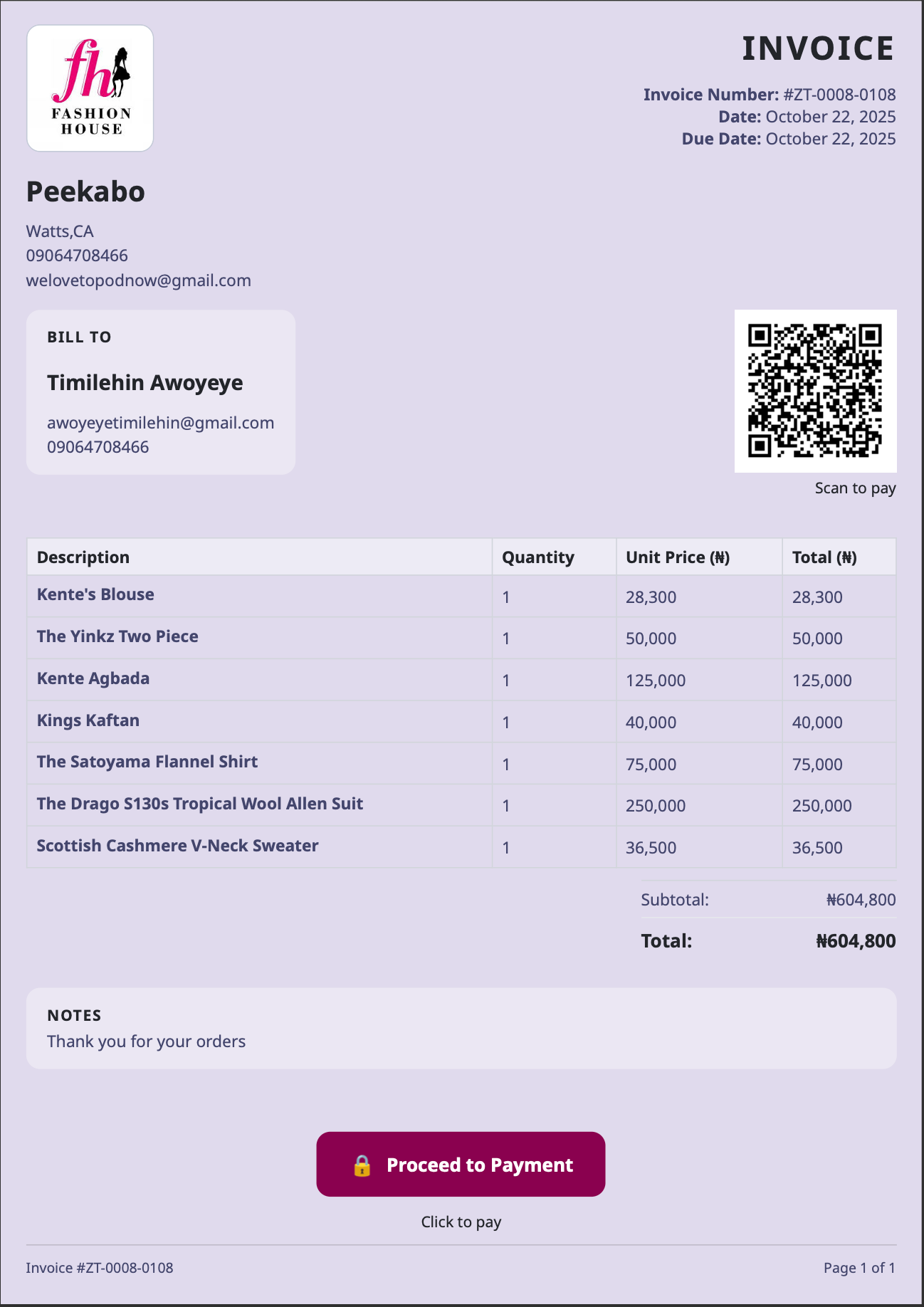
"Backend is better for creating Invoices" ohhh why ???

Invoices are one of the simplest features in a product but also very crucial.
They are often the main financial touchpoint between a business and a customer. For a customer who is already deciding whether to trust a business, an invoice does more than list prices. It communicates legitimacy, attention to detail, and professionalism. A broken layout, misaligned totals, or awkward page break doesn’t just look bad, it quietly introduces doubt.
That risk matters even more on a platform i'm building, where merchants rely on us to present their businesses well. We already allow tailors to customize how their invoices look and feel from business details and logos to brand colors and typography. When those branded invoices break depending on device or browser, the result feels unpolished and, in most cases unprofessional regardless of how good the underlying product or service is.
In the early versions of the system, invoice generation lived on the frontend. At the time, this felt reasonable: invoices were just HTML, and the frontend already had access to all the data. But as invoice complexity increased like adding clickable payment links behind buttons or adding easily payment link behind a qr code and real-world usage expanded across devices, browsers, and layouts, the limitations of that approach became increasingly visible.
This article explains why frontend-generated invoices started to fail in practice, why that failure was as much a product problem as a technical one, and how moving invoice generation to the backend — with an async, document-first architecture — gave us the consistency, control, and scalability the feature actually required.
The original setup (and why it made sense initially)
Originally, the flow looked like this:
- The frontend generated the invoice HTML
- The frontend converted that HTML to a PDF
- The PDF was sent to the backend
- The backend:
- Uploaded it to Cloudinary
- Generated image and thumbnail versions
- Sent it via email or allowed download
On paper, this looked efficient:
- Fast feedback to the user
- Easy to iterate on UI
- Minimal backend complexity
And for a while, it worked. Until it didn’t.
Where the cracks started to show
Our product serves merchants in an informal market, where laptops are not the default device. Phones and tablets especially iPads and tablets are far more common. That meant testing invoices on mobile and tablet wasn’t optional; it was critical.
While testing on iPad and mobile, I started noticing small inconsistencies:
- Sections shifting unexpectedly
- Elements aligning differently across devices
At first, these were minor and easy to ignore.
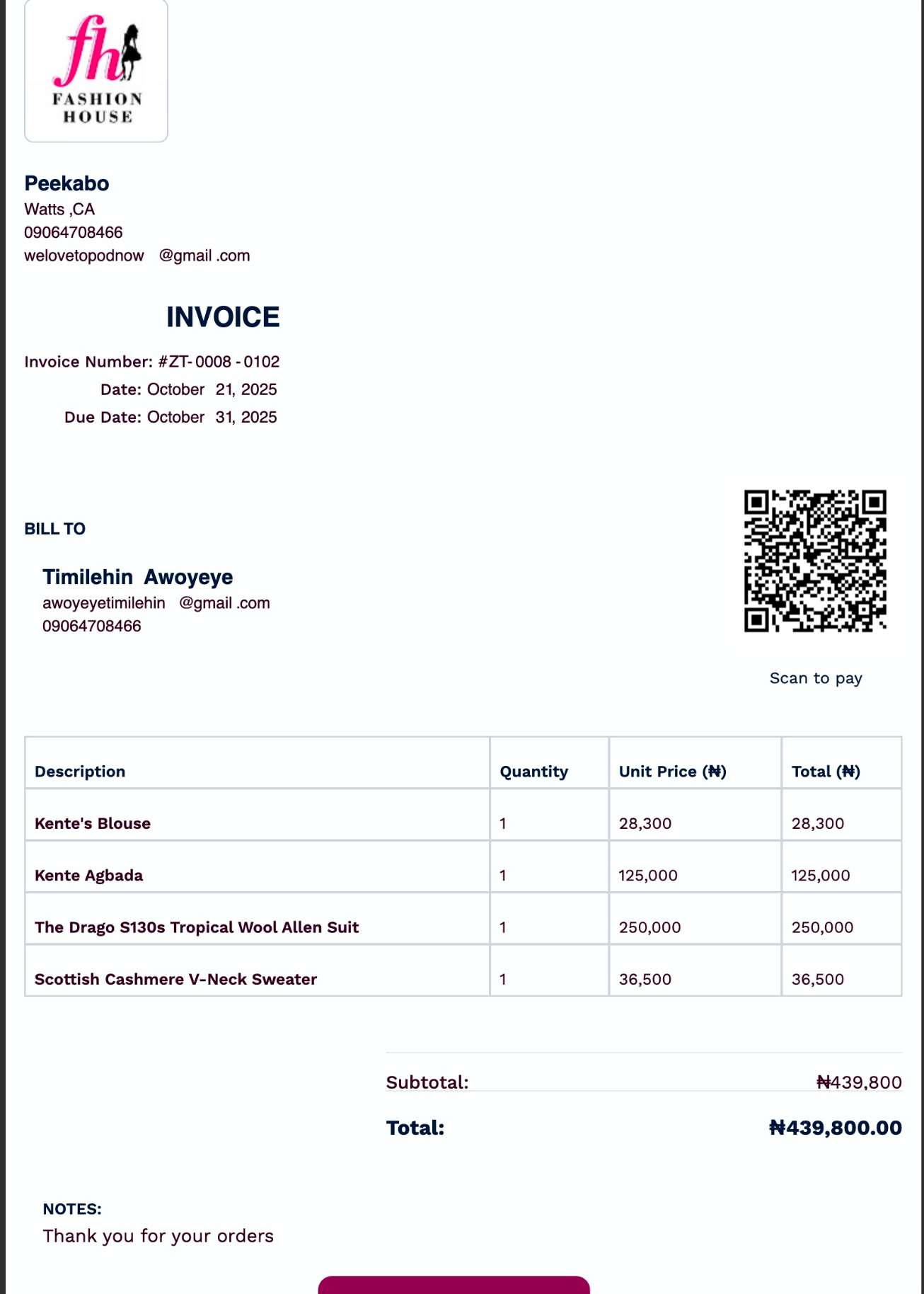
But as we added more features to the invoice — clickable payment buttons, QR codes linked to payment URLs, more detailed item lists — those inconsistencies became structural problems.
Invoices were still being generated, but:
- Sections moved to unintended areas
- Buttons split across pages
- Layouts changed depending on device
- Some elements jumped from right-aligned to left-aligned
At that point, the invoice no longer felt like a finished document. It felt fragile.
And for something that represents money, that’s not acceptable.

Why “just fixing the CSS” wasn’t enough
My first instinct was to treat this as a frontend issue. I spoke to our frontend engineer, and understandably, the assumption was that it could be fixed with styling adjustments.
After multiple attempts and little improvement, I escalated the conversation and spoke with a more senior engineer, my friend Ayo Aladesulu.
His explanation clarified the real issue:
HTML rendered on the frontend is inherently dependent on the device, browser, and rendering engine. For documents like invoices, that variability is a liability. The backend should own document generation.
That insight reframed the problem. This wasn’t about CSS quality.
It was about using the wrong layer for the job.
After validating that understanding and sanity-checking it with Mr ChatGPT, the decision became clear: invoice generation needed to move to the backend.
The new approach: async, backend-owned, document-first
We redesigned the flow around a simple principle:
Creating an order should not be blocked by document generation.
High-level flow
- User creates an order
- Order creation endpoint completes immediately
- An asynchronous process is triggered for invoice generation
- The invoice is generated, stored, and distributed independently
This decoupling improved both system reliability and user experience.
Template ownership and notification service
The first step was moving invoice templates out of the frontend.
Templates now live in our notification service, which already handles email templates and delivery.
- Templates are stored in MongoDB
- Retrieved via REST calls
- Centrally managed and versioned
As usage grows, we plan to introduce Redis caching to reduce retrieval latency and improve throughput.
This gives us a single source of truth for invoice structure and branding.
Dynamic invoice rendering with FreeMarker
Invoice HTML is generated server-side using FreeMarker.
This allows us to:
- Inject dynamic variables safely
- Structure order items at runtime
- Control page breaks programmatically
Instead of hoping the browser lays things out correctly, we now enforce layout rules explicitly.
Pagination: treating invoices as documents, not screens
One of the biggest improvements came from handling pagination on the backend.
We introduced clear pagination rules:
Pagination strategy
- First page: maximum of 7 items
(room for header, customer info, QR code) - Continuation pages: maximum of 8 items
- Last page: maximum of 9 items
(space for totals, notes, payment CTA) - Automatic rebalancing if the last page would be too sparse
Each row includes:
- Item name
- Quantity
- Unit price
- Line total
This guarantees visual balance and prevents awkward page breaks.
PDF generation with Gotenberg
Once invoice HTML generation moved to the backend, the next decision was how to reliably convert that HTML into a PDF.
Rather than relying on browser-based PDF generation or closed, third-party APIs, I wanted a solution that was:
- Deterministic
- Self-hostable
- Production-ready
- Actively maintained
- Designed specifically for document rendering
That search led me to Gotenberg, an open-source document conversion service built around Chromium and LibreOffice.
Why Gotenberg
After evaluating a few options, Gotenberg stood out for a few key reasons:
- It produces consistent, print-safe PDFs
- It supports HTML → PDF with proper CSS page control
- It is stateless and easy to containerize
- It integrates cleanly with backend services
- It avoids embedding heavy rendering logic inside the application itself
Most importantly, it treats PDFs as documents, not screenshots of web pages — which aligned perfectly with how we wanted invoices to behave.
Deployment approach: internal service, not public API
Instead of calling Gotenberg over the public internet, I deployed it inside the same server environment as the backend services.
Key decisions:
- Gotenberg runs as a container within the same infrastructure
- It is not publicly exposed
- Access is restricted to internal services only
- The backend communicates with it over the internal network
This means:
- No external network hops
- Lower latency
- Reduced attack surface
- No dependency on external availability
- Full control over resource limits and scaling
From the backend’s perspective, PDF generation becomes a fast, reliable internal call — not an external dependency.
How the PDF is generated
Once the invoice HTML is finalized:
- The backend sends the HTML payload directly to Gotenberg
- We explicitly configure:
- A4 paper size (8.27" × 11.69")
- Zero margins
- CSS-defined page size and breaks
- Gotenberg renders the document in a controlled environment
- The generated PDF is returned as a byte array
Because the rendering environment is fixed and predictable, the same invoice will always produce the same output — regardless of who created it or which device they’re using.
Why this matters
This setup solved several problems at once:
- Eliminated device-dependent rendering issues
- Removed browser quirks from the equation
- Made invoice generation deterministic
- Improved performance by avoiding external calls
- Increased reliability by keeping everything in-house
Most importantly, it aligned the technical implementation with the product expectation: invoices should feel final, professional, and trustworthy not fragile.